



In the age of the digital revolution, as classrooms fill with interactive displays and laptops, a key question arises: How can we implement technology that truly supports the learning process while also safeguarding students’ health? The answer lies in light—specifically, reflected light—which makes a modern projector the safest window into the world of knowledge.
This projector protects your eyesight and ensures a good night’s sleep
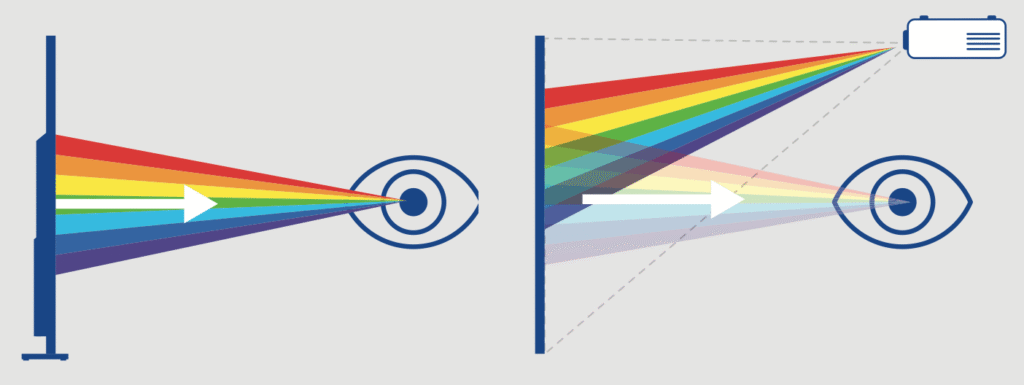
The advantage of a projector over an interactive monitor lies in the way the image is displayed. Monitors emit blue light directly into the user’s eyes, which, with prolonged exposure, can lead to eye strain, dry eyes, and even retinal damage. As indicated in a report by the French agency ANSES (2019), intense exposure to blue light emitted by LEDs (used in monitors) has a phototoxic effect, which can lead to irreversible damage to retinal cells and accelerate the aging process of the eye.
Intense blue light also affects the regulation of the circadian rhythm, disrupting the function of the pineal gland and the secretion of melatonin. This leads to both difficulty falling asleep and a decline in sleep quality. A sleep-deprived student, in turn, struggles with chronic fatigue and a lack of concentration during the day, which directly hinders learning (ANSES, EyeSafe).
Caution regarding excessive exposure to blue light is particularly important for children. Their lenses have not yet developed enough to adequately protect the retina from harmful levels of blue light. Even up to the age of 20, children are exposed to a dose of light that is up to about 40% higher than that of adults, which means that prolonged use of screen devices can significantly affect their eyesight ( Bonnin-Arias C, et al. (2023), EyeSafe).
Projectors use light reflected off a surface (such as a wall or floor), which, according to Epson’s research and the digital hygiene guidelines published by PSSE, is more natural for the human eye and does not cause as much eye strain as LED screens. This makes them a safer learning method for the eyes.
Epson 3LCD Technology – Color Accuracy Without Flickering
Epson projectors are based on patented 3LCD technology, delivering excellent image quality. This provides both an additional layer of eye protection and clear image visibility from any viewing angle.
- Consistent Light Intensity: Unlike many other technologies, 3LCD delivers equally high brightness for both white and colored light, ensuring vivid colors even in sunlit rooms.
- No rainbow effect: 3LCD technology eliminates eye-straining flicker, creating a stable and safe learning environment for hours on end.
Image size tailored to each class
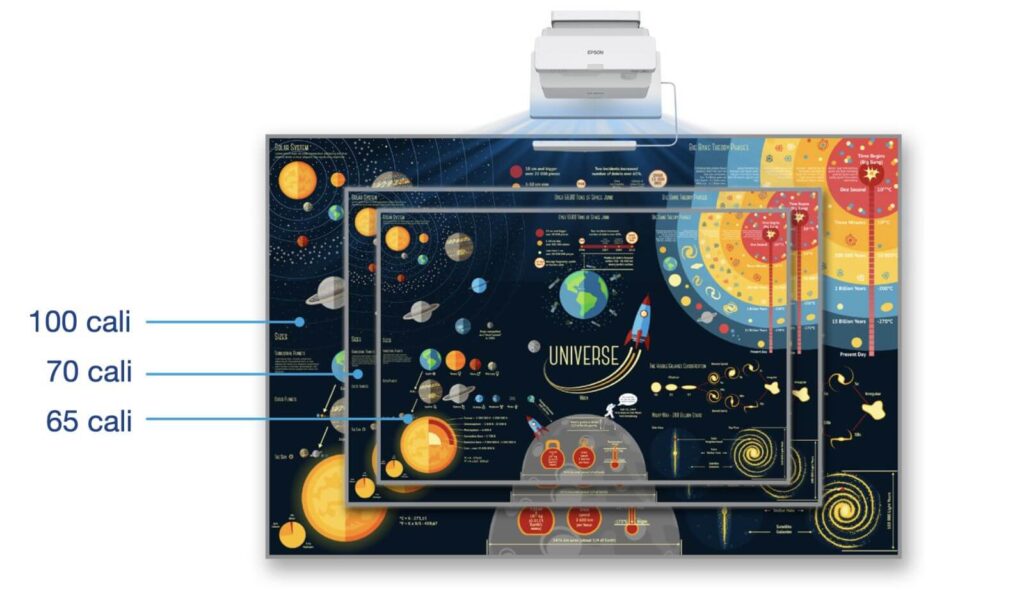
In education, size matters. Standard monitors limit us to a fixed resolution of 65–86 inches, while projectors allow for flexible image scaling from 80 to as much as 150 inches, giving teachers the freedom to adjust the image based on the available space or class size. And a large, clear image ensures that students in the back rows are just as engaged as those in the front.
A report prepared by Epson indicates that:
- 84% of teachers believe that engagement and collaboration in the classroom are hindered by poor audiovisual technology at least part of the time during a lesson.
- 77% of teachers say that students have trouble seeing the screen on standard flat-screen TVs during class.
- 39% of teachers say that students in the back of the classroom, and 35% say that students sitting on the sides, have difficulty seeing what’s happening on the screen as well as those in the front and in the middle.
- As a result, 40% of teachers admit that they always or often move students to different seats when they may not be able to see the content on a standard flat-screen TV during class.
The use of projection technology therefore helps ensure that everyone in the classroom can see the presentation. Most teachers confirm that interactive projectors can support the teaching process, and 40% of them say that they ensure every student in the classroom can see the materials and lessons.
Teacher Ergonomics and an Interactive Space for Collaboration
An Epson report showed that interactive displays pose a challenge in terms of visibility, while laptops and tablets limit collaboration and discussion in the classroom and are a major source of distraction. Projection technology has the opposite effect: it draws everyone’s attention in the classroom and supports group work.
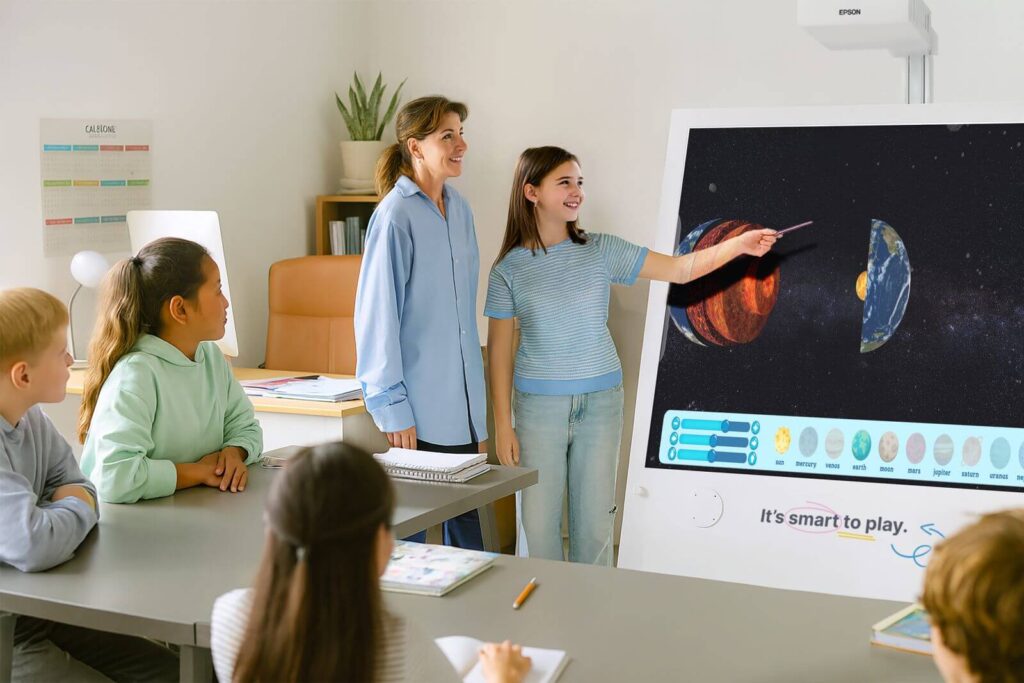
Interacting with the image projected by the projector using markers allows for active learning with technology, while also helping students practice their handwriting. The large projection area makes it possible for the entire group to work together.
Projectors make it easy to connect to other devices—laptops, tablets, phones, and document cameras—including wirelessly. Modern Epson projectors support standards such as Miracast, as well as Apple AirPlay 2 and HomeKit. This allows teachers and students to instantly stream content directly to a large screen (without cables) to showcase their work.
When using ultra-short-throw projectors, a teacher standing at the blackboard does not cast a shadow on the image and is not blinded by the projector’s light beam, which makes their work more comfortable.
Ecology and Economics
Epson projectors are a responsible investment. They hold prestigious TCO certifications, which confirm their compliance with rigorous sustainability standards. They consume significantly less energy than large-format LED walls or monitors of a similar size, which provides real cost savings for educational institutions.
The laser light source in Epson projectors has a lifespan of 20,000–30,000 hours. Under typical school use (8 hours a day), this translates to up to 12 years of operation without the need for servicing.
Educational Supplements: Knowla Box and Knowla Wall
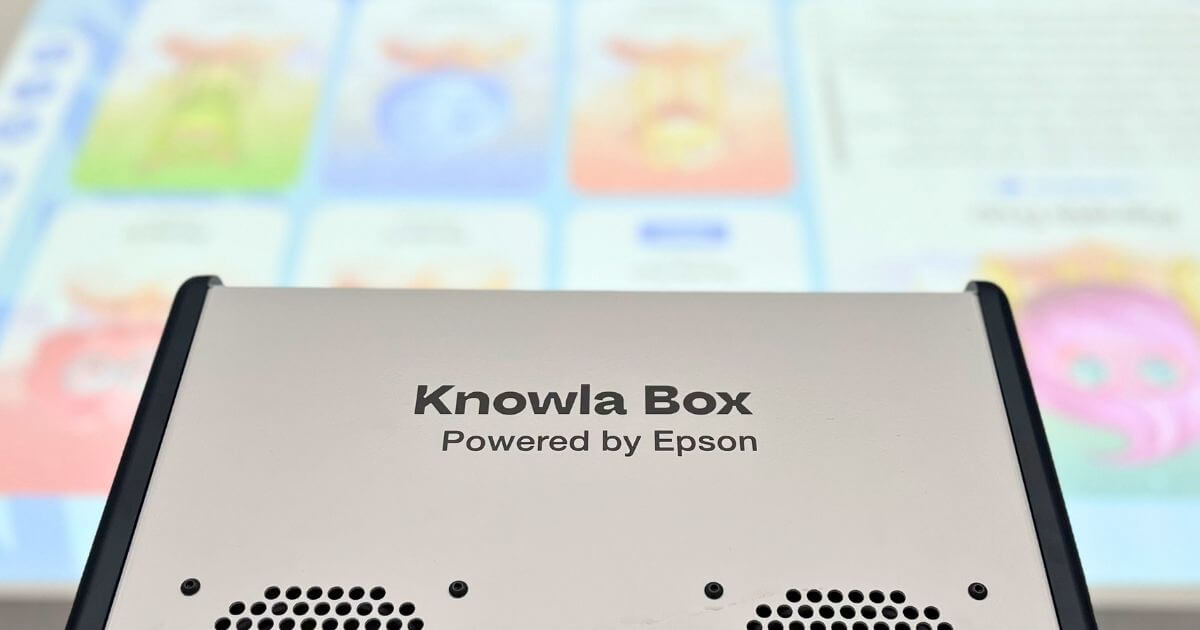
The full potential of these educational tools is realized through the synergy between Epson’s flawless image quality and Knowla’s proprietary software. By combining advanced therapeutic features, innovative forms of interaction, and the performance of Windows in a single, compact enclosure, we have created comprehensive solutions. Knowla Box and Knowla Wall are integrated multimedia systems that redefine the classroom environment, transforming any surface into an engaging and interactive experience center.
Thanks to the “Powered by Epson” label, users can be sure that these devices are powered by a top-of-the-line ultra-short-throw projector. It allows children to:
- Interaction through throwing balls (ultrasonic technology), which combines learning with physical activity.
- Working with interactive markers right up against the wall, without casting a shadow on the image and without blinding the instructor.
- Work on the built-in Windows computer without having to connect any additional hardware.
- Interactive, play-based learning with the Educational Universe— 16 planets featuring hundreds of apps that support speech therapy, math, STEAM, and emotional and social skills, among other areas.
Choosing a projector means choosing health, a screen size that fits your space, and unlimited educational possibilities. With Knowla and Epson, it’s smart to have fun—and even smarter to teach.

